
10 Everyday Things You Didn’t Know Google Could Do (Most People Never Use!)
We’ve all used Google to search for websites, news, or answers to simple questions.
But did you know Google can do much more than just search?
From tracking flights and translating languages to solving math problems and setting timers, Google has dozens of hidden features that can make your daily life easier.
Here are 10 everyday things Google can do that many people still don’t know about.
1. Solve Math Problems Instantly
No need to open a calculator app.
Simply type your equation into Google.
Examples:
- 568 × 43
- 12% of 950
- Square root of 144
- 125 divided by 5
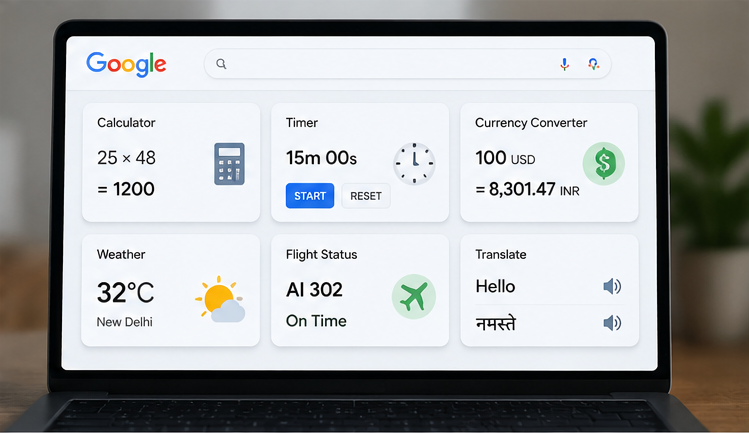
Google instantly shows the answer along with its built-in calculator.
Why it’s useful:
Perfect for students, office work, shopping, and quick calculations.
2. Convert Units in Seconds
Need to convert kilometers to miles or kilograms to pounds?
Just search naturally.
Try searching:
- 10 km to miles
- 5 feet in cm
- 3 liters to gallons
- 50 Celsius to Fahrenheit
Google provides the result immediately without visiting another website.
3. Convert Currency in Real Time
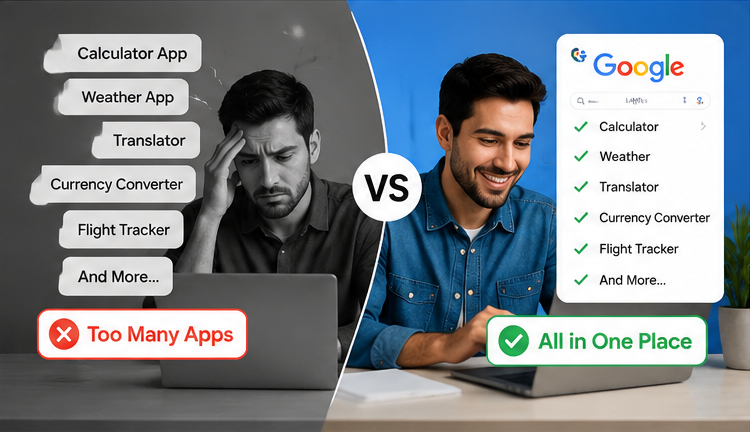
Planning a trip or shopping online?
Google provides live currency conversions.
Examples:
- 100 USD to INR
- 500 EUR to INR
- 1000 JPY to INR
The rates update regularly, making them useful for quick estimates.
4. Track Flights Without Installing an App
If you know a flight number, simply type it into Google.
Example:
- AI302
- EK542
You’ll often see:
- Flight status
- Departure time
- Arrival time
- Delay information
- Terminal details (when available)
Great for travelers and anyone picking up family or friends from the airport.
5. Use Google as a Timer or Stopwatch
Need a quick timer while cooking or studying?
Just search:
- 10 minute timer
- 30 second timer
- Stopwatch
Google starts the timer directly in your browser.
No extra apps required.
6. Translate Languages Instantly
Google can translate words, phrases, and even full sentences.
Try:
- Hello in Japanese
- Translate “Good Morning” to French
- English to Hindi
It’s perfect for travelers, students, and language learners.
7. Check Weather Anywhere
Planning a trip?
Simply search:
- Weather Chennai
- Weather Dubai
- Weather London tomorrow
Google shows:
- Current temperature
- Rain chances
- Humidity
- Wind speed
- Multi-day forecast
No weather app needed for a quick update.
8. Reverse Image Search
Found an interesting photo?
Google can help you discover:
- Where it came from
- Similar images
- Higher-quality versions
- Fake or edited images
This is especially useful for checking if an image is genuine before sharing it.
9. Search Within a Specific Website
Instead of using a website’s search bar, let Google do it.
Use this format: site:taleprime.com AI or site:wikipedia.org Linux
Google will only show results from that specific website.
This trick works surprisingly well on websites with poor search functionality.
10. Compare Anything Quickly
Google can compare products, technologies, and services.
Examples:
- Android vs iPhone
- OLED vs QLED
- SSD vs HDD
- Windows 11 vs Windows 10
Instead of opening multiple tabs, you’ll get a quick overview and links to detailed information.
Bonus Google Tricks
Here are a few extra features worth trying:
Check Sunrise and Sunset
Search: Sunrise Chennai
Find Nearby ATMs
Search: ATM near me
Track Packages
Many courier tracking numbers can be recognized directly in Google Search.
Roll a Dice
Search: Roll a dice
Flip a Coin
Search: Flip a coin
Play Tic-Tac-Toe
Search: Tic Tac Toe
A fun way to pass a few minutes!
Why These Google Tricks Matter
These built-in features help you:
- Save time
- Avoid downloading extra apps
- Get answers instantly
- Improve productivity
- Simplify everyday tasks
Most people use Google only as a search engine, but it can also be a calculator, translator, timer, flight tracker, and much more.
Final Thoughts
Google is packed with powerful features that many people never discover.
Whether you’re a student, office worker, traveler, or just someone who wants to save time, these simple tricks can make your daily routine much easier.
Try a few of them today—you might wonder how you ever managed without them!
Frequently Asked Questions
1. Is Google Calculator free?
Answer: Yes. Google’s calculator is completely free to use through your web browser.
2. Can Google convert currencies accurately?
Answer: Google uses regularly updated exchange rate data, making it suitable for quick conversions. For financial transactions, always verify the final rate with your bank or payment provider.
3. Does Google Flight Tracking work worldwide?
Answer: Yes, many domestic and international flights can be tracked by entering the flight number into Google Search.
4. Can I search inside a specific website using Google?
Answer: Yes. Use the site: operator followed by the website name and your search term.
Example: site:taleprime.com Linux
5. Do these tricks work on mobile phones?
Answer: Yes. Most of these Google features work on Android, iPhone, tablets, and desktop browsers.\




Pingback: 10 Gmail Tricks That Save Hours Every Week (2026 Guide)