
15 Hidden Google Maps Features You’ll Wish You Knew Earlier
Google Maps is one of the most popular apps in the world, but most people only use it for directions.
What many don’t realize is that Google Maps is packed with useful features that can help you save time, avoid traffic, discover new places, and even navigate without an internet connection.
Here are 15 hidden Google Maps features that you’ll wonder how you ever lived without.
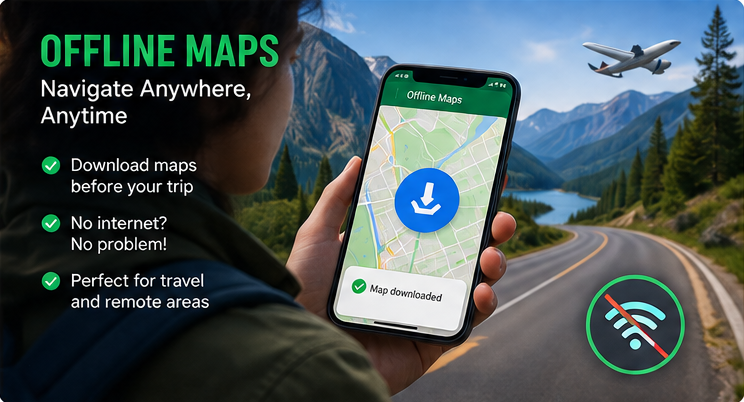
1. Download Maps for Offline Use
No internet? No problem.
Before you travel, download an area so you can still navigate even without a mobile signal.
Perfect for:
- Road trips
- International travel
- Remote areas
2. Live Traffic Updates
Avoid traffic jams before they happen.
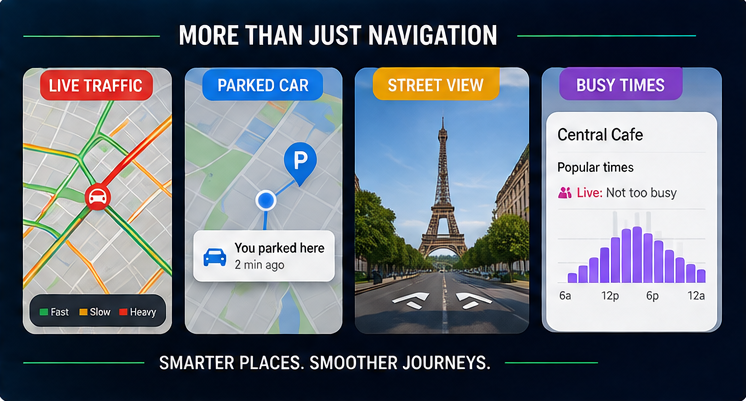
Google Maps shows real-time traffic conditions using color codes:
- 🟢 Green = Clear
- 🟠 Orange = Slow
- 🔴 Red = Heavy Traffic
3. Find Your Parked Car
Forgot where you parked?
Tap the blue location dot and select Save Parking.
Google Maps will remember your parking location.
4. Share Your Live Location
Let friends and family see where you are in real time.
Useful when:
- Meeting someone
- Traveling alone
- Going on long road trips
5. Explore Nearby Places
Tap Explore to discover:
- Restaurants
- Cafes
- ATMs
- Hospitals
- Petrol stations
- Hotels
6. Measure Distance Between Two Points
Need to know how far something really is?
Simply drop a pin and choose Measure Distance.
Great for walking routes and planning hikes.
7. Indoor Maps
Many airports, shopping malls, and railway stations include indoor navigation.
Find:
- Restrooms
- Gates
- Shops
- Elevators
8. Multiple Stops in One Trip
Planning several stops?
Google Maps lets you add multiple destinations and automatically creates the best route.
Perfect for deliveries and road trips.
9. Street View Before You Visit
See exactly what a place looks like before you arrive.
Helpful for:
- Hotels
- Apartments
- Job interviews
- Tourist attractions
10. Timeline (Location History)
If enabled, Timeline remembers places you’ve visited.
It’s useful for:
- Travel memories
- Business trips
- Expense tracking
11. Speed Limits Information
In many regions, Google Maps displays speed limits while you’re driving.
It helps you stay aware of the road and drive more safely.
12. Voice Navigation
Keep your eyes on the road.
Use voice-guided navigation for hands-free directions while driving, cycling, or walking.
13. Save Favorite Places
Create personalized lists such as:
- Restaurants to Try
- Vacation Spots
- Weekend Getaways
- Shopping Locations
You can access them anytime from your account.
14. Check Busy Times
Wondering when a place is crowded?
Google Maps shows popular times so you can plan your visit during quieter hours.
Great for restaurants, malls, and tourist attractions.
15. Use Google Lens Inside Maps
Some locations let you use Google Lens to identify buildings, landmarks, menus, and signs through your phone’s camera.
It’s a handy feature when exploring unfamiliar places.
Why These Features Matter
Using these hidden tools can help you:
- Save travel time
- Avoid traffic
- Reduce fuel costs
- Navigate without internet
- Find places faster
- Plan trips more efficiently
Most of these features are built into Google Maps—you just need to know where to find them.
Frequently Asked Questions
1. Is Google Maps free to use?
Answer: Yes. Google Maps is free for everyday navigation and place discovery on Android, iPhone, and the web.
2. Can I use Google Maps without the internet?
Answer: Yes. Download offline maps before your trip, and you can still navigate in supported areas without an internet connection.
3. Does Google Maps show live traffic?
Answer: Yes. In many regions, Google Maps provides real-time traffic updates and suggests faster routes when available.
4. How do I save my parking location?
Answer: Tap your blue location dot and select Save Parking. You can also add notes or a photo to help remember the exact spot.
5. Can Google Maps help me avoid toll roads?
Answer: Yes. In the route options, you can choose to avoid tolls, highways, or ferries before starting navigation.
6. Is Google Maps Timeline private?
Answer: Timeline is linked to your Google account and can be managed or turned off at any time through your location history settings.
Conclusion
Google Maps is much more than a navigation app. With features like offline maps, live traffic, parking reminders, busy-time estimates, and indoor navigation, it can make everyday travel simpler and less stressful. Try a few of these tips the next time you’re on the move—you may discover features you never knew existed.
Suggested Internal Links
- The Internet in 2035: 10 Technologies That Will Change Everything
- 15 Free Government Websites Every Indian Should Bookmark
- 10 Websites That Feel Like Magic
- Hidden Android Features You’ll Wish You Knew Earlier
External Links
- Google Maps Help Center: https://support.google.com/maps/
- Google Maps Official: https://maps.google.com/
- Google Account Location History: https://myaccount.google.com/activitycontrols/location




The offline maps feature is a lifesaver for travel—downloading an area before losing signal can prevent a lot of stress. I’d also use tripoai.pro to help plan the trip before opening Google Maps.